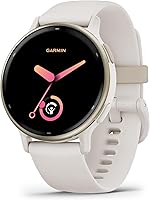
Smartwatches for Everyday Use: The Complete Guide
The best smartwatch for everyday use starts with your phone: choose Apple Watch SE 3 for iPhone-connected daily tasks or Samsung Galaxy Watch 8 for Android features. Pick Garmin Forerunner 165 for running plans or Garmin vivoactive 5 for varied workouts and less frequent charging.
On this page (10 sections)
- Choosing the Best Smartwatch for Everyday Use
- What is the best smartwatch for everyday use?
- Which smartwatch features matter in daily use?
- How much battery life do you need?
- Which smartwatch fits your daily routine?
- What should you check before buying a smartwatch?
- How should you set up a smartwatch for the first week?
- How do you keep a smartwatch comfortable and in good condition?
- Which smartwatch buying mistakes should you avoid?
- How do you choose the best smartwatch for your needs?
Choosing the Best Smartwatch for Everyday Use
The best smartwatch for everyday use is Apple Watch SE 3 for iPhone-connected daily tasks, Garmin Forerunner 165 for running plans, Garmin vivoactive 5 for varied workouts or Samsung Galaxy Watch 8 for Android features.
Start with the phone you already use, then choose the watch that solves your main daily need. A watch that helps you answer messages serves a different purpose from one that helps you plan the next run.
This guide separates those choices and explains the habits each watch asks of you. For a phone-specific shortlist, see our best smartwatches for iPhone and best smartwatches for Android.
What is the best smartwatch for everyday use?
The best everyday smartwatch matches your phone, main activity and charging routine, in that order. Eliminate incompatible options before comparing sleep tools, workout modes or screen features.
| Your main need | Start with | Main reason to choose it |
|---|---|---|
| iPhone-connected daily tasks | Apple Watch SE 3 GPS 40mm | Calls, texts and notifications through your iPhone or Wi-Fi |
| A more structured running routine | Garmin Forerunner 165 | Suggested workouts, race plans and recovery guidance |
| A mix of workouts and sleep tracking | Garmin vivoactive 5 42mm | Broad activity support, sleep tools and stored music |
| Android-connected daily features | Samsung Galaxy Watch 8 40mm | Android pairing, sleep coaching and glanceable updates |
Use the table to choose a starting point rather than a universal winner. Someone who runs toward an event has a different reason to wear a watch from someone who wants fewer reasons to reach for a phone.
Also decide what would make you stop wearing it. Frequent charging, too many alerts or a bulky fit can matter more over time than another workout mode.
Our what to look for in a smartwatch guide expands on the buying checks if you're still deciding which functions belong on your shortlist.
Which smartwatch features matter in daily use?
Prioritize phone support, useful alerts, comfortable wear and the right workout tools. Extra functions help only when you can use them with your phone and will make room for them in your routine.
How does your phone affect the best smartwatch choice?
Your phone is the first filter because basic pairing and full feature access are different things. Apple Watch SE 3 is an iPhone-centered choice, Galaxy Watch 8 supports Android phones, and both Garmin models support Android and iPhone devices.
A watch may pair with your phone while a particular sleep or AI feature has narrower requirements. Samsung, for example, requires a compatible Samsung Galaxy phone, Samsung Health and a Samsung account for several Galaxy AI features.
Check the requirements for the feature that drives your decision, not just the general compatibility statement. If sleep guidance is your main reason to buy, establish what your exact phone can support before comparing case colors.
For platform limits, read whether an Apple Watch works with Android, whether Garmin works with an iPhone and whether a Galaxy Watch works with an iPhone.
Which notifications deserve space on your wrist?
Choose alerts that help you act sooner, such as messages from family or reminders you often miss. Sending every phone notification to your watch can turn a useful shortcut into another source of interruptions.
There is also a difference between seeing an incoming call and taking that call on the watch. The Forerunner 165 supports call and text notifications, while the SE 3 supports taking calls through its supported connections.
Write down the action you want: read a message, answer a call or leave the phone behind. Those are separate requirements, and a general promise of connectivity doesn't answer all 3.
Do you need training guidance or an activity record?
Choose training guidance if you want help deciding what workout to do next. Choose broader activity tracking if you mainly want to record walks, classes and different forms of exercise.
A race plan is useful when your week needs structure. It offers less value if you prefer choosing each day's activity based on your schedule and mood.
Likewise, counting sports modes is less useful than checking your own activities. Confirm that the watch covers the workouts you actually do and that its guidance matches your goals.
If you mainly want movement reminders and a record of activity, compare the simpler route in our smartwatch vs fitness tracker guide.
How should you use sleep and recovery information?
Use sleep and recovery information to review patterns across several days, such as bedtime consistency and workout timing. A late bedtime, hard workout or disrupted night can provide useful context for a change.
Think of these tools as prompts to review your routine. Compare your recorded sleep schedule with late workouts, travel or changes to your usual bedtime.
Focus on a routine you can maintain rather than chasing a perfect score. A consistent bedtime and a practical charging window make overnight records easier to compare.
How much battery life do you need?
Choose enough battery life to cover your longest normal gap between charges. Include overnight wear and regular workouts in that gap, not just the hours you spend away from home.
Apple states 18 hours for the SE 3, while Garmin states up to 11 days in smartwatch mode for both Garmin models here. Those estimates favor different routines: a planned daily charging break or longer intervals between charges.
The mode matters as much as the headline number. Forerunner 165 has a separate estimate of up to 19 hours in GPS mode, and vivoactive 5 has an estimate of up to 5 days with the display always on.
These aren't equal-use comparisons across brands. Use them to judge whether a model fits your habits, then allow room for the features you'll use most.
Match charging to a habit you already have
A reliable charging slot is better than a plan to remember whenever the battery gets low. Tie it to desk time, reading or another regular break when you don't need the watch.
If you want sleep tracking, charging only at bedtime works against your goal. Set aside a daytime window and check the battery before settling in for the night.
Apple says a 15-minute charge can provide up to 8 hours of battery for the SE 3. That can make a short charging break useful, but it still needs to become part of your routine.
Decide which settings earn their battery use
An always-on display may be worth the shorter interval between charges if you often glance at the time. If you mainly check the screen after an alert, you may prefer a setting that keeps it off between uses.
Long GPS sessions also deserve a separate plan. A watch can have ample power for ordinary daily wear yet need charging before a long activity.
Galaxy Watch 8's information here doesn't give a specific runtime in hours or days. If battery duration is your deciding factor, confirm Samsung's current guidance for your intended settings before buying.
Our smartwatch battery life guide explains how to compare usage modes without treating the largest number as an everyday promise.
Which smartwatch fits your daily routine?
Choose the watch whose main purpose matches what you want help with each week. The differences below matter more than trying to find one model that wins every category.
Apple Watch SE 3 GPS 40mm: for iPhone-connected daily tasks
Apple Watch SE 3 is the clearest starting point here for an iPhone user who wants calls, messages and workouts on the wrist. Its appeal is reducing small phone interactions throughout the day.
It supports music, podcasts and notifications alongside workout tracking for activities such as running and strength training. Customizable faces and a choice of bands let you arrange the watch around daily use and personal style.
Its sleep features include a sleep score and overnight records you can review alongside your bedtime routine. Comfortable band fit and a daytime charging slot help you keep those records consistent.
Apple says the SE 3 can detect a hard fall or severe car crash and help connect with emergency services. Set up emergency contacts and review the feature requirements before relying on those tools.
Choose it if your main goal is handling everyday iPhone tasks without reaching into your pocket each time. It also makes sense if you want workout and sleep information within the same daily watch routine.
Skip it if you use Android or know you'll resist a regular charging schedule. Choose the Forerunner instead if following a running plan is the main reason you're buying a watch.
The GPS name doesn't mean every connected feature works when your phone is absent. Plan around its iPhone or Wi-Fi connection rather than assuming the watch replaces your phone.
For a smaller wrist, check band fit as well as the case label. Our guide to what size Apple Watch you should get helps you think through readability and comfort.
Garmin Forerunner 165: for runners who want a plan
Garmin Forerunner 165 is the strongest fit here for a runner who wants structure, not just a record of completed miles. Its suggested workouts and race-adaptive plans connect today's session with a longer goal.
Built-in GPS records pace and distance for reviewing your runs. The 43 mm watch combines an AMOLED touchscreen with traditional button controls.
Garmin Coach and daily workout suggestions help organize training around performance and recovery. Training effect explains the main benefit of a workout, while recovery time estimates when to approach another hard effort.
Its 25+ activity profiles include cycling, HIIT and strength alongside running. A morning report brings together sleep, recovery, training outlook and weather.
Choose it if you're preparing for an event, returning to regular running or want a clearer reason for each workout. It gives running guidance a central role without limiting activity recording to runs.
Skip it if running is occasional and you mainly want varied workout options or stored music. The vivoactive 5 is the more natural starting point for a varied fitness routine.
The Forerunner's smart notifications let you see calls and texts from a paired phone. Don't treat those alerts as a promise that you can conduct calls from the watch.
Garmin Pay requires a supported country and payment network. Check your card support if contactless payment is part of your plan to carry less on a run.
Incident detection during select outdoor activities and Assistance require setup, a paired compatible phone and data coverage. They send location messages to emergency contacts, so taking the phone remains part of that safety arrangement.
If running is your main sport, our best Garmin watches for running guide helps you compare that focus across more options.
Garmin vivoactive 5 42mm: for varied workouts and everyday habits
Garmin vivoactive 5 suits someone whose exercise week includes several activities and who wants sleep records alongside them. It offers a broader daily fitness focus than choosing primarily around race preparation.
Its activities include walking, running, cycling, swimming and golf. Preloaded workouts cover cardio, yoga, strength, HIIT and Pilates, with options to create workouts in Garmin Connect or use Garmin Coach.
Sleep records let you review overnight wear alongside your activity history. Sleep coaching and automatic nap detection add context for people who want to understand their rest habits.
Wheelchair mode tracks pushes instead of steps and includes push and handcycle activities. It also offers preloaded workouts and challenges for wheelchair users, making this a meaningful reason to consider the watch.
Choose it if you want one watch for changing workout plans, overnight wear and a broad view of daily activity. It also suits someone who wants downloaded music for exercise without carrying a phone for listening.
You can download music from supported Spotify, Amazon Music or Deezer accounts and connect wireless headphones. Check your account's download requirements before making stored music the deciding feature.
Skip it if your main need is iPhone-connected calling or a running-first training experience. More activity information won't compensate for missing the daily task you most wanted the watch to handle.
Use sleep coaching as context when reviewing your bedtime routine. Compare several nights with your schedule before deciding whether a different bedtime or charging slot would be more practical.
Samsung Galaxy Watch 8 40mm: for Android users who want daily guidance
Samsung Galaxy Watch 8 fits Android users who want wrist updates, sleep guidance and a running coach. It is especially worth considering when your phone meets the requirements for the Galaxy AI features you want.
The watch uses Galaxy Wearable and Samsung Health for setup with supported phones. Its interface offers glanceable information such as weather, news and sports updates, subject to the required accounts and connection.
Sleep Coaching and Bedtime Guidance focus on rest habits. Bedtime Guidance requires 3 consecutive nights of wear and an optimal wake-up time set in Samsung Health, so allow time before expecting that guidance.
Review the prior day's sleep and activity records alongside your schedule. A consistent overnight fit and charging routine make those records easier to compare across the week.
Choose it if you use Android and want sleep tools, daily information and running guidance in the same watch. Confirm feature support especially carefully if your Android phone is from another brand.
Skip it if you use an iPhone or want a clearly stated multi-day battery figure as the basis for your choice. The Garmin options provide specific runtime estimates for comparing charging plans.
Running Coach is for outdoor running and requires initial setup plus at least 12 minutes of running with GPS on. A casual walk or indoor session doesn't meet that starting requirement.
If overnight wear matters to you, check the band fit and plan a daytime charging window first. A comfortable fit and enough battery for the night help keep your sleep records consistent.
What should you check before buying a smartwatch?
Confirm the exact model, phone requirements, fit and essential features before ordering. A close model name or attractive feature list isn't enough if one key detail conflicts with your routine.
- Write down 3 jobs for the watch. For example: show family messages, record runs and track sleep.
- Check your exact phone. Include its operating system and the requirements of any feature that matters to you.
- Choose your charging window. Decide when the watch can be off your wrist without missing the information you want.
- Check wrist and band fit. The case size doesn't tell you whether the included band will fit comfortably.
- Separate recording from connection. GPS activity recording, stored music, notifications and emergency messages have different requirements.
- Check account and service needs. Supported payment networks and music accounts can affect whether a feature is useful to you.
- Review the return terms. Fit and screen readability are easier to judge once you can wear the watch.
Avoid choosing a watch solely because it has more metrics. A short list of information you understand is more useful than a dashboard you rarely open.
For a closer look at the daily connection and fitness tradeoffs, read Apple Watch vs Garmin for daily use.
How should you set up a smartwatch for the first week?
Start with pairing, essential alerts, a readable screen and a charging plan. Add optional tools after the watch handles those basics reliably.
Pair through the supported app
Use the brand's setup process and allow time for any software updates before your first planned workout. Keep the phone and watch charged and nearby while pairing finishes.
Read permission requests according to what you want to use. Blocking notification access, for example, can prevent the alerts you bought the watch to receive.
If alerts stop arriving, check the connection and permissions before changing lots of settings. Our guide to why a smartwatch keeps disconnecting gives you an ordered way to work through the problem.
Make the screen useful before making it busy
Choose a face that makes the time and your main information easy to read at a glance. Add only the shortcuts you'll use, such as your preferred workout or battery status.
Increase text size where the watch allows it if you find yourself squinting. More information on the screen isn't helpful when it takes longer to understand.
Start with alerts from a few people and essential apps. Add others only when you notice a reason to receive them on your wrist.
Set up workouts and safety features deliberately
Enter your profile details carefully and choose the workout types you actually do. For planned outdoor exercise, learn how to start, pause and end a session before leaving home.
Where supported, add emergency contacts and review how assistance works. Make sure those contacts know what a watch-generated message could mean.
Separate a safety feature's presence from its connection requirements. A phone-dependent location message still needs the phone and coverage when you need help.
Give sleep tools a consistent routine
Wear the watch consistently if you want useful overnight trends. Fit it comfortably and choose a charging slot that doesn't regularly remove it for half the night.
Review several nights together rather than changing your routine after one unusual score. Keep notes about obvious disruptions so the numbers have context.
How do you keep a smartwatch comfortable and in good condition?
Keep the watch and band clean, dry and comfortably fitted, following the brand's care instructions. Good wear habits make it easier to keep using the watch through work, exercise and sleep.
The watch should sit steadily on your wrist, but the band shouldn't pinch or leave you uncomfortable. Recheck the fit after a workout, when sweat and wrist movement can change how the band feels.
Clean away sweat and residue using a method approved for the watch and band material. Let the skin and band dry, and take a break from wear if the band feels uncomfortable.
Don't assume that recording a swimming activity means every water activity is suitable. Check the exact model's water-use guidance before swimming, showering or exposing it to heat and pressurized water.
Keep charging contacts clean and dry, and use the charger specified for the watch. Avoid forcing a connection when the watch isn't seated correctly.
Review notifications and workout shortcuts after a few weeks. Removing unused alerts can make the watch more helpful without buying anything else.
Which smartwatch buying mistakes should you avoid?
Avoid choosing by feature count, one sleep score or the largest battery number. The common mistake is buying for an imagined routine instead of the one you already have.
Buying a training watch without wanting training guidance
Race plans and recovery tools earn their place when you want structure. If you prefer informal movement and varied classes, a broader fitness watch may suit you better.
The reverse also applies. A watch that records a run doesn't necessarily offer the planning tools you want for preparing for an event.
Assuming GPS means full independence from a phone
GPS identifies location for supported activities; it doesn't create a mobile connection. Incoming messages, calls and safety functions may still rely on a phone, Wi-Fi or another supported connection.
List the things you expect to do away from your phone. Check each one separately instead of treating phone-free use as a single feature.
Letting one score dictate your routine
Sleep and recovery numbers are estimates, even when they look precise. Review them alongside your workout history, bedtime schedule and gaps in overnight wear.
A higher score doesn't require you to add another workout. A lower score also doesn't automatically mean your whole day needs to change.
Ignoring overnight comfort and charging
A watch can't build a useful sleep record if you regularly remove it because it feels uncomfortable or needs power. Consider those practical limits before prioritizing sleep features.
Choose the watch you can realistically wear and charge, then use its tools consistently. That habit matters more than collecting another metric.
How do you choose the best smartwatch for your needs?
Choose the best smartwatch by your main daily job, then use charging and fit to settle the final choice. If 2 watches remain, favor the one that solves your most frequent need with fewer changes to your routine.
- Pick Apple Watch SE 3 GPS 40mm if you use an iPhone and want calls, messages and everyday tasks on your wrist.
- Pick Garmin Forerunner 165 if running plans and workout guidance are the reason you're buying.
- Pick Garmin vivoactive 5 42mm if your week includes varied exercise and you want sleep tools with longer charging intervals.
- Pick Samsung Galaxy Watch 8 40mm if you use Android and your phone supports the sleep, running and daily features you want.
Before ordering, name one task you'll use on day 1 and decide when you'll charge the watch. Clear answers to those 2 points are a better foundation than a long wish list.
For the next step, use our iPhone smartwatch guide or Android smartwatch guide to keep the final comparison within your phone's options.
Frequently asked questions
What is the best smartwatch for everyday use?
The best smartwatch for everyday use matches your phone and main daily task. Choose Apple Watch SE 3 for iPhone-connected calls and messages, Samsung Galaxy Watch 8 for Android features, Garmin Forerunner 165 for running plans, or Garmin vivoactive 5 for varied workouts and longer intervals between charges.
Do smartwatches work without a phone?
Some functions work without your phone nearby, but a watch's connections determine which ones. Garmin vivoactive 5 supports downloaded music with wireless headphones, while incoming phone notifications depend on a paired smartphone.
Our guide to whether smartwatches need a phone explains how to separate workout recording, music and connected features.
How long does a smartwatch battery last?
Battery life depends on the model and how you use it. Apple states 18 hours for Apple Watch SE 3, while Garmin states up to 11 days in smartwatch mode for both Garmin options here.
GPS recording, display settings and other active features change how often you'll need to charge.
Should I buy a smartwatch or a fitness tracker?
Choose a smartwatch when wrist notifications, connected tasks or detailed workout tools will earn a place in your day. A fitness tracker may be enough if activity tracking is your main goal.
Our smartwatch vs fitness tracker guide helps you decide which functions you need before comparing individual models.
Which smartwatch is best for running?
Garmin Forerunner 165 is the clearest running-focused choice here because it combines GPS pace and distance with adaptive workout suggestions, race plans and recovery guidance. Choose Garmin vivoactive 5 instead if running shares your week with several other activities and you want a broader everyday fitness focus.