Do Smartwatches Need a Phone to Work?
Do smartwatches need a phone? Most need one for setup and connected features, but many record workouts independently. Supported cellular watches can handle calls away from your phone with compatible service.
On this page (9 sections)
- Do smartwatches need a phone to work?
- What can a smartwatch do without a phone nearby?
- Which features need a phone connection?
- Can a smartwatch make calls without a phone?
- Do smartwatches work without a phone for exercise?
- What changes between GPS and cellular watches?
- How should you prepare a watch for phone-free use?
- Which smartwatch setup fits your routine?
- Do smartwatches need a phone? Make the final choice
Most smartwatches need a phone for setup and connected features, but they don't need one beside you for every task. The answer to “do smartwatches need a phone?” depends on whether you mean owning a phone or carrying it.
Leaving your phone at home for a run is different from never using a phone at all. Many watches suit the first goal; buying for the second takes closer attention to setup and account requirements.
For a wider view of watch types and features, start with our guide to smartwatches for everyday use.
Do smartwatches need a phone to work?
A smartwatch can often keep time and record supported activities independently after setup. Calls, fresh notifications, and online services each need a suitable connection.
Think of phone dependence in 3 stages: setting up the watch, using it away from your phone, and managing it afterward. A watch may handle a workout alone but still rely on a phone app for account changes or reviewing detailed records.
Before choosing, make a short list of what you want to do without your phone. “Record my walk” and “receive an urgent call” lead to different buying decisions.
What can a smartwatch do without a phone nearby?
Many watches can record workouts, use built-in GPS, and play stored music without a nearby phone, provided they support those features. Downloaded content must already be on the watch before you leave.
| Your goal | What to check |
|---|---|
| Record outdoor pace and distance | Built-in GPS, rather than GPS supplied by a phone |
| Listen through wireless headphones | Music storage, supported downloads, and headphone pairing |
| Get new messages | A supported phone, Wi-Fi, or cellular connection for that feature |
| Make calls away from your phone | Cellular calling, compatible service, and coverage |
| Send an emergency alert | The exact setup and connection requirements of that safety feature |
Wi-Fi only helps where a suitable network is available. It doesn't provide continuous coverage along a walk or commute.
Who should choose the Garmin vivoactive 5?
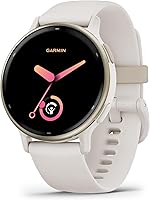
The Garmin vivoactive 5 suits mixed exercise and phone-free music. It has more than 30 built-in sports apps and supports downloaded music from Spotify, Amazon Music, or Deezer accounts through wireless headphones.
Choose it if you want walking, gym sessions, and other activities in one watch. Garmin claims up to 11 days of battery life in smartwatch mode, or 5 days with the display always on.
Skip it if independent calling is your main reason to buy. Its texts, emails, and other smart notifications come from a paired smartphone, so music independence doesn't make it a phone replacement.
For music, check your chosen service's download and account requirements first. Download playlists and pair your headphones before heading out.
Which features need a phone connection?
Notifications from your phone and app syncing need the appropriate connection. Bluetooth links a watch to a nearby phone; supported Wi-Fi or cellular features can provide other ways to connect.
A watch showing a call alert doesn't necessarily let you answer through the watch. Check receiving alerts, speaking on calls, and calling without a phone as separate abilities.
The Garmin Forerunner 165 receives smart notifications from a paired Android or Apple smartphone. Its connected safety tools also depend on that phone, which matters more than notification convenience if you're leaving it behind.
For compatibility details, read whether a Garmin watch works with an iPhone. Confirm compatibility before comparing screen size or training tools.
Do smartwatches need a phone for setup?
Most smartwatches need a compatible phone and companion app to get started. Don't assume that any phone works simply because both devices have Bluetooth.
Check the required phone operating system and software version before ordering. For a gift, check the recipient's phone rather than using your own as the reference.
Family setup is a separate option on supported watches. Apple Watch For Your Kids allows setup for a child without their own iPhone, but a family setup route still involves setup and service requirements.
Can a smartwatch make calls without a phone?
A watch with supported cellular calling and active compatible service can make and receive calls without a nearby phone. Built-in GPS alone cannot do this.
Before choosing cellular, check carrier support, recurring plan costs, and coverage where you'll use the watch. Cellular hardware by itself doesn't mean service is already active.
The Apple Watch SE 3 GPS + Cellular 40mm supports calls away from an iPhone. It also supports streaming music and podcasts without the iPhone nearby, subject to the required connections and services.
Choose it if leaving your iPhone behind while staying reachable is a regular need. Skip it if your phone is almost always in your pocket and you mainly want workout records or wrist alerts.
Apple claims 18-hour battery life and up to 8 hours of use from a 15-minute charge. Plan a charging window around your routine rather than assuming cellular access means you can leave both phone and charger behind indefinitely.
Read Apple Watch GPS vs Cellular to weigh that choice. For an Android phone, start with the best smartwatches for Android phones instead.
Do smartwatches work without a phone for exercise?
Many smartwatches can record exercise without a nearby phone, including outdoor pace and distance when built-in GPS is available. Recording an activity and sending an emergency message are separate functions.
The Garmin Forerunner 165 suits runners who want structured guidance. It combines built-in GPS with daily suggested workouts that adapt to performance and recovery, plus Garmin Coach and race adaptive training plans.
Its AMOLED touchscreen also has traditional button controls. Choose it if training guidance matters more to you than a broad mix of everyday connected features.
Skip it if your priority is downloaded music or independent calls. The vivoactive 5 is the music option described here, while the cellular Apple Watch addresses calling away from your iPhone.
The Forerunner's incident detection during select outdoor activities and Assistance require setup, a paired compatible smartphone, and network coverage with data connectivity. Carry the phone if you plan to rely on those features.
Compare running options in our guide to the best Garmin watches for running. If you mainly want simple activity records, our smartwatch vs fitness tracker comparison can help narrow the choice.
What changes between GPS and cellular watches?
GPS records location; cellular connects to a mobile network. Neither label tells you everything the watch can do without a phone.
“Connected GPS” generally means using your phone's location information. If recording routes without carrying your phone matters, look specifically for built-in GPS.
Cellular is worth considering when you regularly need supported calls or online features away from your phone. It adds little to a routine where the phone stays nearby and supplies those connections already.
Battery figures also depend on use. A smartwatch-mode claim isn't a promise of the same runtime during GPS recording or streaming; our guide to how long smartwatch batteries last explains how to plan charging.
How should you prepare a watch for phone-free use?
Set up the features you need before your first phone-free outing. A paired watch still needs the right permissions, downloaded content, and service settings for your routine.
- Pair and update it. Complete account setup and available software updates while the phone and charger are nearby.
- Choose useful alerts. Allow messages and calls you need, then reduce alerts that would distract you.
- Prepare offline features. Download supported music, pair headphones, and load any app-created workouts you plan to use.
- Check cellular separately. If needed, confirm that the watch plan is active and the required calling features work with the phone out of range.
- Review safety settings. Add emergency contacts and check every required connection before relying on alerts.
- Check power before leaving. Allow enough charge for the activity and time afterward.
For routine care, follow the watch's cleaning instructions, dry it after sweaty exercise, and keep charging contacts clean. Avoid guessing about water use from a sports mode alone.
If connections keep dropping, work through why a smartwatch keeps disconnecting before changing devices. Pairing, permissions, and phone settings can affect connected features.
Which smartwatch setup fits your routine?
Choose by the task you need away from your phone, then check compatibility and setup. Don't pay for independence you won't use or assume one offline feature makes every feature independent.
- Choose the Apple Watch SE 3 GPS + Cellular for supported calls away from your iPhone, with compatible service.
- Choose the Garmin vivoactive 5 for varied exercise and downloaded music through wireless headphones.
- Choose the Garmin Forerunner 165 for running guidance and built-in GPS, while keeping its phone-dependent safety requirements in mind.
- If you don't own a compatible phone, resolve setup and ongoing account management before choosing any watch.
The most common mistake is treating “works without a phone” as a single feature. Write down your 2 or 3 essential tasks and confirm each one separately.
Do smartwatches need a phone? Make the final choice
Most smartwatches still need a phone somewhere in their setup or management, but you may not need to carry it everywhere. Choose stored music for listening, built-in GPS for route recording, and supported cellular service for calls away from your phone.
If your phone stays with you, prioritize useful watch features over cellular access. Use our everyday smartwatch guide to compare options once you've decided what must work independently.
Frequently asked questions
Can a smartwatch work without a phone?
Yes, many smartwatches work without a nearby phone for timekeeping, supported workouts, and some stored content after setup. Live messages, calls, and online services need the right connection.
Decide which tasks you need while away from your phone, then check those features separately rather than assuming the whole watch works independently.
Do you need a phone to set up a smartwatch?
Most smartwatches need a compatible phone and companion app for initial setup and ongoing management. Check the supported phone models and software requirements before buying.
Family setup can let someone use a watch without owning a phone, but another person's compatible phone may still be part of the setup.
Can a smartwatch make calls without a phone?
Yes, a watch that supports cellular calling can make and receive calls without a nearby phone when compatible service is active. You need carrier support and coverage where you use it.
Built-in GPS does not provide calling, and a watch that shows incoming-call alerts may still depend on your phone.
Can a smartwatch track exercise without a phone?
Yes, many watches record supported exercise without a phone nearby, and built-in GPS can record outdoor pace and distance independently. Syncing detailed records may happen later through a companion app.
Check safety features separately, since recording a run without your phone does not mean the watch can send an emergency message.