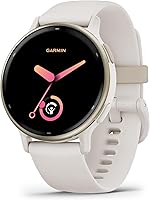
5 Best Garmin Watches for Running (October 2026)
The best Garmin running watches include the Garmin Forerunner 165 for everyday running, the Garmin Forerunner 265 46mm for structured race training, and the Garmin Forerunner 265S 42mm for smaller wrists.
On this page (7 sections)
- Which is the best Garmin watch for running for your goals?
- How should you choose between GPS, training tools and maps?
- How much battery life and wrist comfort do you need?
- How should you set up a Garmin running watch before your first run?
- How can you get useful training guidance without chasing every number?
- What common buying and care mistakes should runners avoid?
- Which Garmin running watch should you buy?
The Garmin Forerunner 165 is the best Garmin watch for running for most people because it combines run tracking with useful workout guidance. Choose the 265 or 265S for deeper training decisions, or the 965 when you need built-in maps.
Start with the problem you want a watch to solve: recording regular runs, following a race plan, balancing hard sessions or finding your way along unfamiliar routes. Those needs matter more than collecting the longest feature list.
For a broader view of the range, see our guide to the best Garmin watches. If your training is split between running and general fitness, our Forerunner 165 vs vivoactive 5 comparison helps narrow the choice.
Our picks at a glance
-
1

-
2

-
3

Which is the best Garmin watch for running for your goals?
The Forerunner 165 is the default choice for regular running, while the other models serve more specific needs. Choose your training tools first, then check fit, battery mode and route requirements.
WeekdayWise's scores reflect how each model fits this running-focused shortlist. A specialist model can be the right choice for you even when it appears lower in the order.
| Product | Best for | Display | Battery | GPS | Our score |
|---|---|---|---|---|---|
| Garmin Forerunner 165 | everyday running | AMOLED touchscreen and buttons | Up to 11 days smartwatch mode; up to 19 hours GPS mode | Built-in GPS | 8.9 |
| Garmin Forerunner 265 46mm | structured race training | AMOLED touchscreen and buttons | Up to 13 days smartwatch mode; up to 20 hours GPS mode | Multi-band GNSS with SatIQ | 8.4 |
| Garmin Forerunner 265S 42mm | smaller wrists | AMOLED touchscreen and buttons | Up to 15 days smartwatch mode; up to 24 hours GPS mode | Multi-band GNSS with SatIQ | 7.9 |
| Garmin Forerunner 55 | first race plans | 1.04 in display | 20 hours; operating mode unspecified | GPS, GLONASS and Galileo support | 7.6 |
| Garmin Forerunner 965 47mm | unfamiliar routes | AMOLED touchscreen and buttons | Up to 23 days smartwatch mode; up to 31 hours GPS mode | Multi-band GPS with full-color built-in maps | 7.2 |
Best Garmin watch for running: Garmin Forerunner 165
Choose the Forerunner 165 for everyday training when you want guidance without building your routine around lots of training metrics. It suits new runners developing a habit and regular runners preparing for an event.
Garmin Forerunner 165: Best for everyday running
- Built-in GPS
- AMOLED touchscreen and buttons
- Garmin Coach
- Adaptive daily workouts
The most balanced choice for regular runs and a first race plan. Its 43 mm case combines clear run data with workout and recovery guidance.
Pros
- Workout suggestions adapt to performance and recovery
- Garmin Coach and race adaptive plans
- Training effect and recovery time
Cons
- Choose the 265 pair if training readiness is a priority
- Choose the 965 if built-in maps are essential
Its built-in GPS tracks pace and distance, while wrist-based heart rate adds context about effort. The 43 mm design combines an AMOLED touchscreen with traditional buttons, giving you different ways to work through the controls.
Daily suggested workouts adapt to performance and recovery. Garmin Coach and race adaptive plans provide event-focused guidance, so you don't need to move to a more complex watch simply because you've entered a race.
Training effect describes the main benefit of a workout, and recovery time estimates the gap before another hard effort. Use these together to understand why a run belongs in your week.
The morning report gathers sleep, recovery, training outlook, weather and HRV status. Its 25+ activity profiles also cover cycling, HIIT and strength when your training extends beyond running.
Skip it if readiness or maps are must-haves. Otherwise, our Forerunner 165 review explains why its mix of controls and running guidance deserves a close look.
Garmin Forerunner 265 46mm: for a structured training week
Choose the Forerunner 265 when you want help judging the load of your training, rather than just choosing tomorrow's workout. It suits runners balancing intervals, long runs, easy days and cross training.
Garmin Forerunner 265 46mm: Best for structured race training
- Training readiness
- Training status
- Race widget
- Multi-band GNSS with SatIQ
Choose it when recovery trends and race planning shape your weekly schedule. The 46 mm case suits runners who prefer the larger option in the 265 pair.
Pros
- Readiness combines sleep, recovery, training load and HRV status
- Race and course based workout suggestions
- 30+ activity profiles, including triathlons
Cons
- 46 mm case may feel large on smaller wrists
- Extra training metrics add little if you won't use them
Training readiness combines sleep quality, recovery, training load and HRV status into an estimate of how prepared you are for a demanding session. Training status adds a wider view of recent exercise history and performance.
Those tools answer different questions: readiness concerns your current state, while status puts recent training into context. Neither removes the need to adjust a plan when work, travel or poor sleep changes your week.
Enter your race and course in Garmin Connect to support the race widget and personalized daily suggestions. The suggestions adjust after each run rather than remaining fixed regardless of how training goes.
Multi-band GNSS with SatIQ is designed to improve positioning in challenging environments while managing battery use. The watch also includes 30+ activity profiles, including triathlons and open-water swimming.
Skip it if you won't act on the extra guidance, or if the 46 mm case feels too large. Our Forerunner 265 review covers its training features in more detail.
Garmin Forerunner 265S 42mm: for a smaller fit
Choose the Forerunner 265S when fit makes the larger 265 less appealing. You still get the race planning and recovery tools that make this pair useful for a structured training schedule.
Garmin Forerunner 265S 42mm: Best for smaller wrists
- 42 mm case
- Training readiness
- Race adaptive workouts
- Multi-band GNSS with SatIQ
A smaller alternative for runners who want the 265 family's race and recovery tools. Its GPS battery estimate also exceeds that of the larger 265.
Pros
- Smaller case without giving up readiness tools
- Training status and race widget
- 30+ activity profiles, including open-water swimming
Cons
- Advanced training tools may exceed a beginner's needs
- Smaller case won't suit everyone who prefers a larger watch
Its 42 mm case is designed for smaller wrists, with an AMOLED touchscreen and traditional buttons. That makes it worth considering if you plan to wear the watch through the day and overnight.
A watch that feels awkward at bedtime is harder to wear consistently. Since readiness uses sleep and recovery information, comfort supports the way you intend to use those features.
The smaller size doesn't mean a shorter stated runtime. Garmin gives this model a longer GPS battery estimate than the larger 265, which is useful when deciding between the pair.
It also includes multi-band GNSS with SatIQ, training status and the race widget. Its 30+ activity profiles cover options beyond running, including cycling, triathlons and open-water swimming.
Skip it if you prefer a larger watch, or if core run tracking is enough. Choose between the two 265 sizes by fit and runtime rather than assuming the larger one is automatically better.
Garmin Forerunner 55: for a first race plan
Choose the Forerunner 55 for straightforward run recording and a clear race-distance goal. It suits runners who want to build toward an event without making advanced recovery analysis a daily task.
Garmin Forerunner 55: Best for first race plans

- GPS, GLONASS and Galileo support
- Daily training suggestions
- Free 5K, 10K and half marathon plans
- PacePro and recovery time
A focused option for recording runs and following a plan for a common race distance. It puts time, distance, pace and wrist-based heart rate on your wrist.
Pros
- Free plans for 5K, 10K and half marathon events
- PacePro, finish time and recovery time
- 17 activity profiles
Cons
- Battery operating mode needs confirmation for long sessions
- iPhone compatibility needs confirmation before buying
The watch records time, distance, speed, pace and wrist-based heart rate. It supports GPS, GLONASS and Galileo, and its display measures 1.04 in.
Free plans cover 5K, 10K and half marathon events, while daily training suggestions take fitness level into account. That gives a beginner more direction than simply recording the same route every time.
PacePro, finish time and recovery time provide additional help with effort management. Its 17 activity profiles include running, cycling, pool swimming, virtual running, Pilates and HIIT.
The battery figure supplied for this model doesn't identify the operating mode. Confirm the relevant runtime before choosing it for long activities, and confirm phone compatibility if you use an iPhone.
Skip it if you want the 165's AMOLED touchscreen or the more detailed training tools of the 265 pair. Buy it for the focused running functions you'll use, rather than as a substitute for every higher model.
Garmin Forerunner 965 47mm: for maps and multisport routes
Choose the Forerunner 965 when route guidance is a regular need. It makes the most sense for runners exploring unfamiliar areas or combining running with several sports.
Garmin Forerunner 965 47mm: Best for unfamiliar routes

- Full-color built-in maps
- Multi-band GPS
- Wrist-based running dynamics
- Custom multisport profiles
The specialist choice for runners who need maps and sports transitions. Its route tools give you a clear reason to step beyond the simpler running models.
Pros
- Built-in maps and courses with turn-by-turn directions
- Triathlon, duathlon, brick workout and swimrun profiles
- Running dynamics and wrist-based running power
Cons
- 47 mm case may feel large on smaller wrists
- Maps and multisport tools add little on familiar running loops
Full-color built-in maps and courses with turn-by-turn directions separate it from the other choices here. Multi-band GPS with SatIQ supports positioning, while the AMOLED touchscreen and buttons give you two control methods.
The 47 mm design has a lightweight titanium bezel. Check that size carefully if you expect to wear it all day as well as during long training sessions.
Its triathlon, duathlon, brick workout and swimrun profiles let you switch sports with a button press. You can also build custom multisport profiles around your own sessions.
Wrist-based running dynamics include cadence, stride length and ground contact time, alongside running power. Those numbers are useful for following patterns, but more measurements don't automatically tell you which changes to make.
Skip it if you mainly run familiar loops and won't use its maps or sports transitions. Its specialist features deserve a specific job in your routine before you choose it over a simpler Forerunner.
How should you choose between GPS, training tools and maps?
Choose the feature that changes your running routine, then ignore extras that don't solve a problem for you. GPS recording, workout suggestions, recovery estimates and maps each serve a different purpose.
Separate recording a route from following one
GPS tracking tells you where you've run and supports pace and distance measurement. A built-in map helps you understand where to go, which matters more when you take unfamiliar turns.
A runner repeating a known park loop may gain little from maps. Someone planning routes while traveling has a clearer reason to choose the mapped model.
Multi-band positioning and maps also solve different problems. Better positioning support doesn't by itself provide a map, so decide separately whether you need help locating yourself or following a route.
Decide how much training advice you'll use
Suggested workouts help answer, “What should I do next?” Readiness and training status add context about how prepared you are and how recent training is going.
A simple plan can be enough if you're building consistency or working around a busy week. More detailed feedback becomes useful when it helps you adjust the balance of hard sessions and recovery.
Avoid treating each new metric as another target to beat. A training number should support a decision, such as shortening a session, rather than create an extra daily competition.
Match the watch to your real mix of sports
Choose around the activities you actually record each week. Occasional strength sessions don't create the same need as moving directly between swimming, cycling and running.
Counted activity profiles matter less than having the specific ones you need. For multisport events, look at how the watch handles transitions as well as whether it records each sport separately.
Keep phone features in perspective
Running tools should lead this decision, but phone pairing may still affect daily use. Decide how much you value notifications and app access before narrowing the choice.
If your main concern is the balance between a training watch and a broader smartwatch, read our Apple Watch vs Garmin comparison. That comparison helps you decide which type fits your day.
How much battery life and wrist comfort do you need?
Use GPS-mode runtime for running plans and smartwatch-mode runtime for everyday charging habits. Comfort matters just as much if you want to wear the watch between workouts.
Compare battery figures in the same mode
Garmin's stated maximum GPS runtimes are up to 19 hours for the 165, 20 for the 265, 24 for the 265S and 31 for the 965. These are maximum estimates, not a promise for every setup.
Smartwatch estimates for those models are up to 11, 13, 15 and 23 days, respectively. Those figures don't mean you can record that many days of continuous GPS activity.
Allow room beyond the length of your planned outing. A session that barely fits a maximum estimate leaves little flexibility for delays or a battery that wasn't fully charged.
For regular short runs, a dependable charging routine may matter more than the longest headline figure. Our guide to smartwatch battery life explains how to think about different usage patterns.
Check more than case diameter
Case diameter helps narrow the options, but it doesn't describe the whole fit. The strap should secure the watch without making you tighten it enough to leave uncomfortable pressure.
Look for a case that stays centered rather than sliding around your wrist. Move your wrist as you would while running, typing and sleeping to judge whether the shape works for everyday wear.
A larger watch isn't automatically easier to live with, and a smaller one isn't automatically better. Choose the size you can wear comfortably for the parts of the day that matter to you.
How should you set up a Garmin running watch before your first run?
Set up pairing, recording controls and a simple run screen before you depend on the watch outside. A little preparation prevents your first workout from becoming a lesson in menus.
Start with the basics in Garmin Connect
Complete pairing and check your personal settings carefully. Incorrect units or profile details can make your run records harder to understand later.
If you're working toward an event, enter the goal where the chosen model's plan or race tools require it. Keep the goal realistic for your current routine rather than choosing a demanding plan to justify the watch.
Choose one main source of training direction. Following a plan, daily suggestions and unrelated hard workouts at the same time can make the week harder than intended.
Make the run screen easy to read
Start with a few useful fields, such as elapsed time, distance and pace, where your watch allows customization. Add other information only after you know why you want it during a run.
Learn how to start, pause, resume and save an activity. Practice those steps before race day, when a crowded start area is a poor place to discover an unfamiliar control.
Give GPS time to establish your position outdoors before starting the recording. Beginning while the watch is still locating you can make the opening part of the record less useful.
Set up safety features separately
On the 165, 265 and 265S, incident detection during select outdoor activities and Assistance require setup and a compatible paired smartphone. Messages with your live location also depend on network coverage and data connectivity.
Set emergency contacts before relying on those functions. Keep your own route and communication plan appropriate for where you're going, especially if coverage is uncertain.
How can you get useful training guidance without chasing every number?
Read trends alongside your actual effort, and let the watch inform a decision rather than make it alone. Training and recovery estimates describe patterns imperfectly, especially when your routine changes.
Give the watch a consistent view of your routine
If you want sleep and recovery context, wear the watch consistently enough to build a useful record. Put charging into a repeatable gap so you aren't always removing it during the same important part of the day.
Don't judge the whole system by one morning report. A pattern across several days is more useful than reacting strongly to a single unusual number.
Sleep, illness, travel and stress can affect how ready you feel to run. If the watch's suggestion conflicts with clear fatigue, adjust the session rather than forcing the recommendation.
Use pace without making every run a race
Pace changes with hills, turns and route conditions, so avoid chasing every brief movement on the screen. A steady effort can produce an uneven pace on an uneven route.
Review the run after finishing instead of checking your wrist constantly. That makes it easier to notice broad patterns without allowing a stream of numbers to control every step.
Recovery time refers to the gap before another high-effort workout on models that provide it. Read it in that context rather than assuming every remaining hour means you must avoid all movement.
What common buying and care mistakes should runners avoid?
Avoid buying unused features, planning around maximum battery estimates and neglecting fit. These mistakes can matter more than small differences between the watches.
Buying for a runner you hope to become
Buy for the next stage of your running, with a clear reason for any extra feature. A first 10K doesn't automatically require maps, running dynamics or detailed readiness analysis.
Name the job before choosing the model: follow a plan, manage a busy training week or explore new routes. If you can't name a use for a feature, don't let it decide the purchase.
Treating sensor readings as instructions
Wrist-based readings and training estimates aren't a substitute for judgment. A high readiness estimate doesn't require a hard workout, and one unusual heart-rate reading doesn't explain its cause.
Keep the watch snug enough to stay in place without restricting comfort. If a reading seems unusual, check fit and how you feel before using it to change your training.
Leaving charging until the morning of a long run
Check battery level the day before an important session. Charge early enough that forgetting the cable or needing extra time won't disrupt the start.
Keep the charging contacts and cable clean and dry. Follow the watch's care instructions rather than applying cleaners or maintenance advice meant for a different device.
Leaving sweat under the band
Clean the watch and band after sweaty runs according to the care instructions, then let them dry. Trapped moisture and residue can make an otherwise comfortable strap unpleasant to wear.
Inspect the band and fastening regularly, especially before longer outings. A loose or damaged strap is easier to address at home than partway through a route.
Which Garmin running watch should you buy?
Choose the best Garmin watch for running by matching one clear need, then check fit and charging habits before ordering. The right model should simplify the next few months of running.
- Choose the Forerunner 165 for regular runs, adaptive workouts and event preparation without adding more training analysis than you need.
- Choose the Forerunner 265 when readiness and training status will help shape a structured week, and you prefer the larger fit.
- Choose the Forerunner 265S for the same training priorities in a smaller case, with a longer stated GPS runtime than the larger 265.
- Choose the Forerunner 55 for core recording and plans toward a 5K, 10K or half marathon, after confirming battery mode and phone compatibility.
- Choose the Forerunner 965 when built-in maps and multisport transitions have a regular role in your routes and training.
Before pairing with an Apple phone, read our guide to Garmin and iPhone compatibility. If running is only one part of what you need, our everyday smartwatch guide helps you weigh the wider choice.
Our top 3 picks at a glance
-
1
-
2
-
3
Frequently asked questions
Which Garmin watch is best for running?
The Forerunner 165 is the best fit for most runners here because its GPS tracking, adaptive workouts and race plans cover regular training. Move to the 265 or 265S when readiness and training status will guide your schedule, or choose the 965 when built-in maps are a requirement.
Is the Forerunner 265 better than the Forerunner 165 for running?
The Forerunner 265 is better suited to runners who want training readiness, training status and multi-band positioning. The 165 already offers suggested workouts and race adaptive plans, so an event on your calendar alone isn't a reason to step up.
Choose the extra tools only if you'll use them.
Should I choose the Forerunner 265 or 265S?
Choose the 265S for a smaller fit, or the 265 if you prefer a larger watch. Both provide readiness, training status and race planning.
The smaller model also has the longer GPS battery estimate, so don't assume a larger case means more time between charges during recorded activities.
Does the Forerunner 965 have maps?
Yes, the Forerunner 965 includes full-color built-in maps and courses with turn-by-turn directions. It suits runners who regularly follow unfamiliar routes and want guidance on their wrist.
Learn its route controls before heading somewhere new, and keep a separate way to find your way home.
Do Garmin running watches work with iPhone?
The Forerunner 165, 265, 265S and 965 support iPhone compatibility. Pairing is still worth checking against your exact phone before buying, especially if notifications matter to you.
Confirm the Forerunner 55 separately; our Garmin and iPhone compatibility guide explains the checks to make.