How Long Does a Smartwatch Battery Last?
How long a smartwatch battery lasts depends on its mode: the timed estimates here range from 18 hours to up to 11 days. Match the estimate to your screen settings and workouts, then choose a charging routine that leaves room for sleep tracking.
On this page (7 sections)
- How long does a smartwatch battery last in everyday use?
- What drains a smartwatch battery fastest?
- Which watch fits your charging routine?
- How should you set up a watch to reduce charging gaps?
- How can you care for the battery and charger?
- What mistakes make battery comparisons misleading?
- How should you choose based on how long a smartwatch battery lasts?
How long a smartwatch battery lasts depends on its settings: the timed estimates here range from 18 hours to up to 11 days. GPS workouts, screen use, and your charging habits determine which figure matters most.
Buy enough runtime to cover the things you want to record, including sleep. A watch that reaches its charger before bedtime may suit daily notifications but leave gaps in overnight tracking.
How long does a smartwatch battery last in everyday use?
Battery estimates can span part of a day to several days, but only compare figures with clear use conditions. Smartwatch mode, continuous GPS, and an always-on display describe different workloads.
A watch rated in days won't necessarily record a GPS activity for that long. Likewise, fast charging helps you refill a battery during a short break; it doesn't extend the time between charges by itself.
Manufacturer estimates are starting points for planning. Leave extra room for heavier use rather than expecting every charge to reach the stated maximum.
For a broader look at phone support, fitness tools, and daily functions, see our complete guide to smartwatches for everyday use.
What drains a smartwatch battery fastest?
GPS tracking and screen use are key settings to check first. Frequent screen wake-ups, high brightness, music playback, and repeated notifications can also add to power use.
The mix matters more than any single setting. Someone recording a long outdoor workout has different needs from someone checking messages during a desk job.
Start by deciding which functions are essential. Cutting every feature to stretch runtime can leave you with a watch that no longer serves your routine.
How long does a smartwatch battery last with the display always on?
An always-on display generally means shorter runtime because the screen remains visible between wrist raises. Compare that mode directly if you want to glance at the time without waking the watch.
Raise-to-wake is a useful alternative if fewer charging breaks matter more than a constantly visible face. Also check how easily you can read the screen at a comfortable brightness.
Our guide to what to look for in a smartwatch explains how to weigh screen choices alongside controls and other daily features.
Why does GPS need its own battery estimate?
Continuous GPS tracking needs a separate runtime estimate because recording an outdoor route uses power differently from basic daily wear. Use that figure when planning long runs, rides, or walks.
Several short workouts spread across a week also reduce the value of a headline smartwatch-mode estimate. You don't need to calculate every minute, but you should allow more frequent charging as tracked activity increases.
Which watch fits your charging routine?
Choose the watch whose features and charging demands match your day. These 4 options show why runners, sleep trackers, iPhone users, and Android users may reach different decisions.
Garmin Forerunner 165: for runners planning tracked outings
Choose the Forerunner 165 if running is your main reason to wear a watch. Its separate mode estimates make it easier to plan both regular wear and longer tracked activities.
Traditional buttons alongside the AMOLED touchscreen give you another way to control it during exercise. Daily suggested workouts, race-adaptive plans, and recovery time support runners who want guidance between sessions.
Skip it if running guidance would go unused and your main needs are everyday calls or notifications. Our Garmin Forerunner 165 review covers its running tools in more detail.
Garmin vivoactive 5: for mixed workouts and sleep tracking
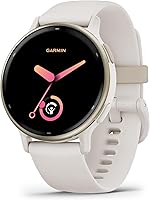
Choose the Garmin vivoactive 5 42mm if you want to track varied activities and keep charging gaps away from bedtime. Its clear screen-mode estimates help you decide whether an always-visible face is worth more frequent charging.
Sleep coaching, nap detection, and more than 30 sports apps suit a routine that changes from day to day. Music storage also gives you a reason to think beyond basic smartwatch-mode use when planning charge breaks.
Skip it if your main goal is running-specific guidance. The Forerunner's daily suggestions and race-adaptive plans are a closer match for that need.
Apple Watch SE 3: for iPhone users with a daily charge window
Choose the Apple Watch SE 3 GPS 40mm if you use an iPhone and can make charging part of a daily routine. Calls, texts, music, and notifications through your iPhone or Wi-Fi may matter more to you than long gaps between charges.
Its short top-up option is useful when you have a predictable break before heading out. Plan that break before bedtime if you also want to record sleep.
Skip it if you want several days away from a charger. Our Apple Watch SE 3 review can help you weigh its other features against that daily commitment.
Samsung Galaxy Watch 8: for Android users who want coaching
Choose the Galaxy Watch 8 40mm for Android phone support and coaching features, rather than a specific battery-life target. Samsung doesn't provide a numeric runtime here, so it can't be placed fairly beside the timed estimates above.
It works with Samsung and other Android phones, though Galaxy AI features require a compatible Samsung Galaxy phone, Samsung Health, and a Samsung account. Running Coach needs outdoor running, initial setup, and at least 12 minutes with GPS on.
Skip it if a known multiday estimate is your main buying requirement. Don't use battery capacity alone to predict runtime, since the screen, software, and functions also affect power use.
How should you set up a watch to reduce charging gaps?
Start with the features you intend to keep using, then build a charging schedule around them. A setup that reflects your normal routine gives you a useful basis for judging battery life.
- Choose your screen mode. Decide between always-on and raise-to-wake before judging the time between charges.
- Limit unwanted notifications. Keep alerts you act on and turn off those that only wake the screen.
- Plan for sleep tracking. Pick a daytime charging break if you want the watch on your wrist overnight.
- Allow room for workouts. Start long tracked outings with enough charge for the activity plus delays.
- Watch your normal pattern. Note the charge level at similar times over several ordinary days.
Don't judge runtime from a day spent changing settings, downloading content, and exploring every menu. Recheck during regular use before changing your whole charging routine.
How can you care for the battery and charger?
Keep the watch and charging contacts clean and dry, and follow the brand's charging instructions. Sweat or dirt around the contacts can interfere with a reliable connection.
Let a hot watch cool before charging, and avoid leaving it in direct sun or a hot parked car. Use a compatible charger and make sure the watch is seated correctly before walking away.
You don't need to run the battery flat before every charge. Short charging breaks can be easier to fit around sleep and exercise than waiting until the watch is nearly empty.
Rechargeable batteries gradually hold less energy as they age. If runtime drops sharply, check for changed settings, a stuck activity, or a charging problem before assuming the battery needs service.
What mistakes make battery comparisons misleading?
The biggest mistake is comparing different use modes as if they were equal. A smartwatch-mode maximum doesn't answer how long you can record GPS or keep the screen visible.
Another mistake is choosing by battery capacity alone. A larger capacity doesn't guarantee longer runtime across different watches with different power demands.
Phone compatibility should come before a battery shortlist. Our guide to smartwatches for Android phones helps narrow that choice before you compare charge schedules.
Also consider whether you need a full smartwatch. If your priorities are activity records and fewer interruptions, our smartwatch and fitness tracker comparison can help define what you need.
Sleep tracking also depends on wearing the watch overnight. Include a comfortable fit and a daytime charging window in your comparison.
How should you choose based on how long a smartwatch battery lasts?
Choose by your least convenient charging gap: overnight sleep, a long workout, or several busy days. Work backward from that gap instead of buying the largest headline number.
Pick the Forerunner 165 for running guidance and a separate GPS estimate. Choose the vivoactive 5 for varied activities and a clear choice between screen modes.
Pick the Apple Watch SE 3 if iPhone functions justify daily charging. Consider the Galaxy Watch 8 for Android coaching features once you've confirmed that its charging needs fit your schedule.
Before buying, name the time and place where you'll charge it. Then use our complete smartwatch guide to compare the features you'll rely on between those breaks.
Frequently asked questions
How long should a smartwatch battery last?
Runtime depends on the watch and its use mode. The timed estimates here range from 18 hours to up to 11 days, but screen settings and GPS change the comparison.
Choose enough runtime to cover your usual day, overnight tracking, and workouts between convenient charging breaks.
Does GPS drain a smartwatch battery faster?
GPS tracking generally uses more power than basic daily wear. Garmin gives the Forerunner 165 estimates of up to 11 days in smartwatch mode and up to 19 hours in GPS mode.
For a long tracked outing, use the GPS estimate and leave a buffer for delays.
Do always-on displays reduce smartwatch battery life?
Yes, keeping the display visible can shorten the time between charges. Garmin gives the vivoactive 5 estimates of up to 11 days in smartwatch mode and up to 5 days with its display always on.
Compare the screen mode you want to use, rather than the longest advertised figure.
How often do you need to charge a smartwatch?
Charge often enough to cover the activities you want to record before your next convenient break. A watch with an 18-hour estimate usually calls for a daily charging routine, while multiday models allow longer gaps.
If you track sleep, plan charging during a seated daytime task instead of overnight.