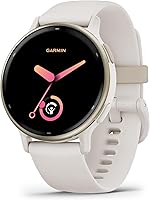
What to Look For in a Smartwatch
What to look for in a smartwatch starts with phone compatibility, a workable charging routine and features you'll use daily. Then check fit, workout tools and the phone, account or connection each key feature needs.
On this page (11 sections)
- What to look for in a smartwatch before comparing models
- Will the smartwatch work with your phone?
- How much battery life fits your routine?
- Which sleep tracking features fit your routine?
- Do the fitness tools match your actual workouts?
- How should a smartwatch fit and feel?
- Which connected extras are worth choosing?
- What safety features can you rely on?
- How should you set up and care for a smartwatch?
- Which buying mistakes should you avoid?
- What to look for in a smartwatch: make the final choice
What to look for in a smartwatch starts with phone compatibility, a workable charging routine and features you'll use daily. After those checks, compare comfort, workout tools and the setup each important feature requires.
Choose your main job for the watch before comparing models: staying connected, building an exercise habit, following running plans or tracking sleep. That choice helps you avoid paying for tools you'll rarely open.
For a broader comparison, use our smartwatches for everyday use guide. You can also narrow the field with our guides to Android smartwatches and iPhone smartwatches.
What to look for in a smartwatch before comparing models
Start with 3 must-haves and 1 deal-breaker. A watch should pass those checks before its extra features influence your choice.
Your must-haves might be iPhone support, overnight wear and workout tracking. Your deal-breaker could be daily charging or a case that feels too large under a shirt cuff.
| Check | What to confirm | When it matters most |
|---|---|---|
| Phone support | Exact phone, operating system, apps and accounts | Before considering any model |
| Battery | Estimate for your intended display and GPS use | Overnight wear and long workouts |
| Daily tools | Calls, notifications, music or payments | Replacing frequent phone checks |
| Fitness | Activity modes and useful training guidance | Building habits or preparing for events |
| Sleep | Available summaries and overnight setup | Reviewing bedtime and wake-up routines |
| Fit | Band range, case shape and readable text | All-day and overnight wear |
| Ongoing needs | Subscriptions, accessories and service support | Before depending on a particular feature |
Separate essentials from nice-to-haves on paper. If two watches meet your essentials, choose based on fit and ease of use rather than the longest feature list.
If steps, basic activity and a few alerts cover your needs, compare a smartwatch with a fitness tracker before committing to a larger device.
Will the smartwatch work with your phone?
Check support for your exact phone and priority features, because basic pairing doesn't guarantee access to every tool. Phone brand, operating system, apps and accounts can each affect what works.
The Galaxy Watch 8 supports Android phones, while both Garmin models here support Android and iPhone. Samsung's Galaxy AI features require a compatible Samsung Galaxy phone, Samsung Health and a Samsung account.
The Apple Watch SE 3 GPS uses your iPhone or Wi-Fi for connected features such as calls, texts and notifications. Work out which connections you'll have during your commute, workouts and errands.
A useful check is to describe one normal outing: “I want to leave my phone at home, record a run and receive messages.” Confirm each part separately, since support for one doesn't establish support for the others.
Our guides explain using an Apple Watch with Android, Garmin compatibility with iPhone and whether a Galaxy Watch works with iPhone.
Also consider your next phone. If you expect to switch operating systems soon, compatibility deserves more weight than an extra watch face or activity mode.
How much battery life fits your routine?
Choose battery life around when you can recharge without losing useful wear time. A long estimate helps only if it applies to the way you'll use the watch.
These figures illustrate why you need to compare modes:
| Watch | Brand's stated battery estimate | What it means for your choice |
|---|---|---|
| Apple Watch SE 3 GPS | 18 hours; up to 8 hours from 15 minutes of charging | Plan a regular charging break |
| Garmin vivoactive 5 | Up to 11 days in smartwatch mode; 5 days with always-on display | Display settings change the charging interval |
| Garmin Forerunner 165 | Up to 11 days in smartwatch mode; 19 hours in GPS mode | Compare GPS endurance separately for long outings |
| Samsung Galaxy Watch 8 | Samsung describes a long-lasting charge without a specific runtime here | Confirm a runtime estimate for your intended use |
Apple also describes fast charging, which can help if short breaks fit your day better than one long charging session. Keep the charger somewhere you'll actually use it, such as beside your morning routine.
For overnight wear, plan charging before bed or during another predictable break. A sleep feature has little value if the watch spends every night on its charger.
What to look for in smartwatch battery claims
Compare the same operating mode, then allow room for heavier-use days. An “up to” figure is a maximum estimate under particular conditions, not a fixed interval.
Frequent GPS use, music playback and display settings can change endurance. Don't compare one watch's GPS figure with another's smartwatch figure and assume the larger number wins.
Our guide to how long a smartwatch battery lasts explains how those choices affect charging expectations.
Which sleep tracking features fit your routine?
Choose sleep tools that help you review your bedtime and wake-up routine, such as a clear nightly summary or a record of your usual schedule. A dashboard full of numbers isn't a goal by itself.
The Apple Watch SE 3 includes sleep tracking and a sleep score. Check the setup requirements and how much overnight wear each summary needs before making it part of your morning routine.
The vivoactive 5 includes sleep coaching and nightly sleep summaries. Look for a layout that makes it easy to compare your sleep schedule across several days without spending too long in the app.
The Galaxy Watch 8 offers sleep coaching and Bedtime Guidance. Bedtime Guidance requires 3 consecutive nights of wear and a wake-up time set in Samsung Health.
Think about what you'll do with that information. If a sleep summary encourages you to keep a regular schedule, it may be useful; if you rarely open the app, a simpler set of sleep tools may suit you better.
Before choosing a watch for overnight use, check whether the sleep features you want require a particular phone, account or subscription. Include those requirements when comparing the overall cost and convenience of each model.
Keep your profile details accurate and wear the watch consistently when comparing sleep summaries. Missing nights and changing wear habits can make your records harder to compare.
Comfort and charging matter as much as the app's sleep screens. Choose a band you can wear overnight and a predictable charging break that keeps the watch ready for bed.
Do the fitness tools match your actual workouts?
Match fitness features to your activities and the guidance you want during them. Someone who wants a walking log needs different tools from someone following a race plan.
For general activity, prioritize an easy way to start and stop a workout and a clear summary afterward. A manageable routine matters more than dozens of modes you won't use.
For running, decide whether you only want pace and distance or also need suggested sessions, event plans and recovery guidance. Built-in GPS records location for supported activities, but it doesn't provide cellular service.
If you use a training plan, choose one main plan rather than trying to follow several conflicting suggestions. Treat recovery estimates as guidance alongside how you feel and the demands of your day.
The four watches below suit different priorities. Pick the one whose main strengths match your routine, then check its limits before buying.
Apple Watch SE 3: for an iPhone routine with everyday workouts
The SE 3 suits an iPhone user who wants communication and workout tracking together. It supports running and strength workouts with real-time metrics, alongside connected calls and messages.
Choose it if you want one device for daily alerts and general exercise. Skip it if you want several days between charges or you're shopping for an Android phone.
Garmin vivoactive 5: for varied activity and sleep tracking
The vivoactive 5 suits people who mix activities and want sleep and workout summaries. Its more than 30 indoor and GPS sports apps cover walking, running, cycling, HIIT, swimming and golf.
It also has a wheelchair mode that tracks pushes and includes push and handcycle activities. That is a useful reason to choose it when step-based goals don't fit your movement.
Skip it if your main goal is answering calls from your wrist, since its connected features here establish notifications rather than a calling function. If race preparation drives your choice, compare its plans with a running-focused model.
Samsung Galaxy Watch 8: for compatible Galaxy phone users
The Galaxy Watch 8 suits Galaxy phone users who want guided sleep and running tools. Running Coach offers real-time feedback and programs for events from 5Ks to marathons.
Its running guidance is for outdoor running and requires setup plus at least 12 minutes of running with GPS on. Don't choose it for that tool if your workouts take place entirely on a treadmill.
Skip it with an iPhone, or if the Samsung phone and account requirements block your main reason for buying it. Other Android users should confirm feature access before choosing it for Galaxy AI tools.
Garmin Forerunner 165: for structured running progress
The Forerunner 165 suits runners who want help deciding how to train. Daily suggested workouts, Garmin Coach and race-adaptive plans provide more direction than a simple activity log.
Training effect and recovery time help explain a session's purpose and when to ease off before another hard workout. Its activity profiles also cover cycling, HIIT and strength.
Skip it if your main priorities are calls, messages and occasional step checks. For a closer comparison of the two Garmin approaches, read Forerunner 165 vs vivoactive 5.
How should a smartwatch fit and feel?
Choose a watch you can read, control and wear comfortably during the activities you care about. Case diameter alone doesn't tell you how it will sit on your wrist.
Measure your wrist and compare it with the band's supported range. Check case shape and thickness too, especially if you wear fitted sleeves or want to sleep with the watch on.
The band should hold the watch steady without pinching or leaving deep marks. A fit that slides around during exercise can be distracting and make the screen harder to check.
Readability deserves its own check. Look at text size, contrast and how many taps it takes to reach your most-used screen, rather than choosing only by how a watch face looks.
The Forerunner 165 combines an AMOLED touchscreen with traditional buttons in a 43 mm design. Buttons give you another way to control a workout when taps or swipes are awkward.
Consider your hands as well as your wrist. If small touch targets are difficult, controls and readable summaries should outrank cosmetic extras.
Which connected extras are worth choosing?
Prioritize extras that replace something you regularly reach for your phone to do. Then check the service, account and connection each one requires.
The vivoactive 5 supports downloaded music, including playlists from Spotify, Amazon Music and Deezer accounts, with wireless headphones for phone-free listening. Check your chosen service's account requirements before making music the deciding feature.
Garmin Pay is available on both Garmin models here. Confirm support for your country and payment network before planning to leave your cards behind.
Notifications and replies are separate capabilities, as are receiving a call alert and speaking through the watch. Decide which action you need instead of treating “smart notifications” as a promise of full phone control.
If you want fewer phone distractions, allow only useful alerts rather than copying every app notification to your wrist. Messages from family or calendar reminders may help; constant promotional alerts rarely do.
Our guide to whether smartwatches need a phone explains how connection needs affect everyday use.
What safety features can you rely on?
Choose safety tools by how they contact help and what they need to work. Automatic detection, a manual assistance request and direct emergency contact are different functions.
Apple says the SE 3 can detect a hard fall or severe car crash and help connect you with emergency services. It can also notify emergency contacts, subject to feature requirements.
The Forerunner 165 offers incident detection during select outdoor activities and Assistance. These can send a message with your live location to emergency contacts through a paired compatible smartphone.
Garmin's tools require setup and phone network coverage with data connectivity. A recorded GPS route alone doesn't mean the watch can send a message from a place without coverage.
Add emergency contacts during setup and tell them what an alert means. Review how to cancel an accidental alert using the watch's instructions.
Don't deliberately trigger emergency functions to explore them. Learn the controls through the help screens and setup guidance.
How should you set up and care for a smartwatch?
Set up your essential features first, then add extras after the basic routine feels easy. This helps you spot permission or connection problems before relying on the watch.
- Pair through the required app and follow the software update prompts.
- Enter accurate profile details and review app permissions.
- Choose useful notifications and quiet hours.
- Set up emergency contacts and any safety features you plan to use.
- Arrange your main watch screen around daily needs.
- Pick a regular charging time.
Before an outdoor workout, learn how to start, pause and end an activity. If it uses GPS, wait for the watch to indicate that it's ready before setting off.
Check connection status before assuming messages or alerts will arrive. If pairing becomes unreliable, work through our guide to why a smartwatch keeps disconnecting.
Follow the model's cleaning instructions, especially after sweat or sunscreen gets under the band. Keep charging contacts clean and dry, and avoid harsh cleaners unless the care guidance allows them.
Don't infer water suitability from a sports mode or appearance. Check the exact model's water-use guidance before swimming, showering or exposing it to hot water.
Which buying mistakes should you avoid?
Avoid choosing by one impressive number or feature name. The most common mismatches come from overlooking the routine behind the feature.
- Buying before checking phone support: Confirm both pairing and access to your priority tools.
- Choosing by the longest battery estimate: Match display and workout modes before comparing.
- Assuming GPS means independence: Location tracking doesn't establish support for calls or emergency messages.
- Overbuying training tools: Choose plans and metrics you want to follow, rather than collecting more data.
- Ignoring overnight comfort: Sleep tools require a watch you'll keep wearing.
- Forgetting ongoing needs: Check accounts, music services, accessories and payment support before buying.
Also check the return policy before ordering. Fit, readability and control layout are personal enough that dimensions alone may not settle the choice.
What to look for in a smartwatch: make the final choice
Use your phone, main activity and charging tolerance to make the final decision. Once a watch passes those checks, fit and ease of use should break the tie.
Choose the Apple Watch SE 3 for an iPhone routine built around connected tasks and everyday workouts. Choose the vivoactive 5 for varied activities, sleep summaries and longer gaps between charges.
Choose the Galaxy Watch 8 when you have the required compatible Galaxy phone and want its guided routines. Choose the Forerunner 165 when running plans and recovery guidance are the main reasons you'll wear a watch.
Write down the 3 features you'll use each week before ordering. Then use our everyday smartwatch guide to compare models against that short list.
Frequently asked questions
What should you look for in a smartwatch first?
Start with phone compatibility, then choose a charging routine you can maintain. Next, name your main reason for wearing a watch, such as notifications, running guidance or sleep tracking.
Compare fit and feature requirements before paying for extras that won't change how you use it.
How important is phone compatibility?
Phone compatibility is essential because pairing support doesn't mean every feature works with every phone. Check the exact model's operating system requirements, required apps and account rules.
Confirm support for your priority features, especially workout tools and connected services, before choosing a watch or switching phones.
How long should a smartwatch battery last?
A smartwatch battery should last long enough to cover your routine between planned charging breaks. Compare estimates for the mode you'll use, including GPS or an always-on display.
If you want sleep tracking, allow time to recharge before bed rather than assuming overnight charging will work.
Do you need GPS in a smartwatch?
Built-in GPS is useful for recording outdoor pace and distance without depending on your phone for location. It matters less for indoor exercise or simple step goals.
GPS doesn't provide cellular service, so check phone and connection requirements separately if you want messages, calls or safety alerts away from home.
What should you look for in smartwatch sleep tracking?
Look for clear sleep summaries, comfortable overnight wear and a charging routine that leaves the watch ready for bed. Read the setup instructions, since some summaries require several nights of wear.
Choose tools you'll use to review your bedtime and wake-up routine, rather than paying for extra scores you rarely check.