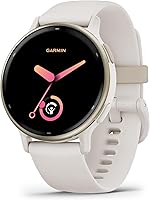
Does a Garmin Watch Work With an iPhone?
Yes, compatible Garmin watches work with iPhone through Garmin Connect for fitness and activity information and smart notifications. Choose by your activity needs, then check the exact watch's phone requirements and support for any messaging or calling features you need.
On this page (8 sections)
- Does Garmin work with iPhone through Garmin Connect?
- What Garmin features work with an iPhone?
- How do you set up Garmin with an iPhone?
- What can you do if your Garmin won't pair with iPhone?
- Can a Garmin watch track activities without an iPhone?
- Which Garmin watches should iPhone owners choose?
- How do you keep a Garmin useful day to day?
- Is a Garmin watch a good fit for iPhone?
Yes, compatible Garmin watches work with iPhone through Garmin Connect. You can use supported activity and fitness features and receive smart notifications, but compatibility doesn't mean every Garmin offers the same phone features.
Start with what you want on your wrist: running guidance, everyday activity tracking, or a smaller watch. Then check how much you want to do without carrying your iPhone.
Does Garmin work with iPhone through Garmin Connect?
Yes, Garmin Connect connects compatible Garmin watches with iPhone and provides access to supported activity, fitness, and workout tools. Check the app's current iPhone requirements before buying, especially if you use an older phone.
Garmin vivoactive 5 supports iOS devices, and Forerunner 165 explicitly supports notifications from a paired Apple smartphone. Lily 2 requires a compatible smartphone, so confirm its current iPhone requirements before choosing it.
Pair through Garmin Connect's device setup instructions for your model. Don't assume that seeing the watch in your phone's Bluetooth settings means you've finished setting up its app features and notifications.
See Garmin watches for an overview of the category if you're still choosing a watch type. If a previously working connection becomes unreliable, why a smartwatch keeps disconnecting covers useful connection checks.
What Garmin features work with an iPhone?
Compatible models offer smart notifications and Garmin Connect features, with activity tools and phone requirements varying by watch. Separate the features you need into alerts, fitness tracking, and functions that require your phone nearby.
Notifications can help you check an incoming message without taking out your iPhone. They don't establish that you can speak through the watch or send a reply.
The app side matters just as much as alerts. Forerunner 165 lets you view activity and fitness information, join challenges, and connect with friends through Garmin Connect.
Treat sleep and workout numbers as estimates and trends. Reviewing sleep duration, activity totals, and workout history across several days can help you compare your everyday routines.
Does Garmin work with iPhone for text messages?
Forerunner 165 can display text notifications from a paired iPhone. Buy for reading alerts only if that meets your needs; check explicit iPhone-specific support before making text replies a buying requirement.
Likewise, an incoming call alert isn't proof that a watch supports conversations through its speaker and microphone. Check call handling separately if you want to leave your phone in a bag during calls.
For another compatibility comparison, read whether a Galaxy Watch works with iPhone. If you're comparing Apple watches instead, Apple Watch options are a useful next stop.
How do you set up Garmin with an iPhone?
Start in Garmin Connect and follow the instructions for your exact watch. Allow time to finish pairing, review permissions, and check alerts before relying on the connection during a busy day.
- Check that your iPhone meets Garmin Connect's current requirements.
- Charge the watch enough to complete setup without interruption.
- Open Garmin Connect and follow its add-device prompts.
- Put the watch into pairing mode as its instructions describe.
- Review Bluetooth, notification, and other requested permissions.
- Complete setup, then check that activity information and wanted alerts reach the right places.
Choose notifications deliberately. Letting every app interrupt you can turn a useful wrist alert into a reason to stop wearing the watch.
Set up emergency contacts separately if you plan to use supported safety features. Pairing alone doesn't complete the setup those features require.
What can you do if your Garmin won't pair with iPhone?
Check compatibility and the unfinished setup steps first, then follow Garmin's restart or pairing-removal guidance for your model. Repeatedly deleting connections without a plan can make it harder to identify the original problem.
Keep the phone and watch close while pairing, confirm Bluetooth is available, and read any permission prompts. If the watch was paired before, use the model's instructions for handling that old connection.
Use Garmin's official support resources if pairing remains stuck. Instructions for another Garmin model may use different menus or steps.
Once the watch connects, check notifications separately. A working app connection and the alerts you want are two things to confirm, rather than treating one as proof of the other.
Can a Garmin watch track activities without an iPhone?
Built-in GPS reduces phone dependence for outdoor tracking, while connected GPS uses your phone. Forerunner 165 has built-in GPS for pace and distance; Lily 2 uses a compatible smartphone's GPS for outdoor walks and runs.
Decide whether carrying your iPhone is normal for you. Phone-connected GPS is a reasonable fit for someone who always brings a phone, but a poor match if leaving it at home is the goal.
Vivoactive 5 also offers phone-free listening through music downloads and wireless headphones. That feature is separate from receiving new phone notifications.
Connected safety features need more preparation. Forerunner 165 and Lily 2 require a compatible paired smartphone, advance setup, and network coverage with data connectivity to send emergency-contact alerts.
Don't assume that recording an activity without your phone means those alerts can also work without it. Read whether smartwatches need a phone for a broader explanation of these differences.
Which Garmin watches should iPhone owners choose?
Choose vivoactive 5 for varied fitness, Forerunner 165 for running guidance, or Lily 2 for a smaller watch. Their main differences are activity focus, size, and phone dependence, so choose those before comparing minor extras.
Garmin vivoactive 5 42mm
Vivoactive 5 suits people who mix several kinds of exercise and want everyday activity information alongside workout tools. Its more than 30 indoor and GPS sports apps cover activities including walking, cycling, swimming, strength work, and yoga.
Sleep tracking and nap detection let you review your sleep schedule alongside daily activities. Wheelchair mode tracks pushes and includes activities and workouts for wheelchair users.
Garmin claims up to 11 days in smartwatch mode, or 5 days with the display always on. Pick the screen setting around your charging routine rather than expecting the longest figure with every feature active.
Skip it if race-focused workout guidance is your main priority, or if a 42 mm watch feels too large. Read the vivoactive 5 review for a closer look at its everyday fitness role.
Garmin Forerunner 165
Forerunner 165 suits runners who want help deciding what workout to do next. Daily suggested workouts adapt to performance and recovery, while Garmin Coach and race-adaptive plans support training for an event.
Training effect explains a workout's main fitness benefit, and recovery time helps you plan the gap before another hard effort. Use those estimates alongside how you feel, rather than treating a suggested session as an obligation.
Its 43 mm design combines an AMOLED touchscreen with traditional buttons. Consider whether you prefer button controls during exercise before choosing mainly by screen appearance.
Garmin claims up to 11 days in smartwatch mode and up to 19 hours in GPS mode. Skip it if you mainly want casual activity reminders and have little interest in structured running guidance.
Garmin Lily 2 35mm
Lily 2 suits readers who prioritize a smaller watch and everyday activity tracking. Its patterned lens reveals a touchscreen, and the metal case comes with a silicone band.
It tracks activities such as yoga, Pilates, cardio, and dance fitness, plus daily steps and intensity minutes. Move alerts include movement options, which can help someone who wants prompts to break up desk time.
Garmin claims up to 5 days of battery life. Allow room in your routine for charging rather than planning around the full claimed maximum every time.
Skip it if you want outdoor GPS tracking while leaving your phone behind. Its smaller size is the reason to choose it, provided you're comfortable carrying a compatible iPhone for connected outdoor tracking.
How do you keep a Garmin useful day to day?
Wear it comfortably, keep it clean, and build a charging habit that fits your schedule. A watch that spends long stretches in a drawer won't give you a consistent picture of activity or sleep.
Follow the model's fit guidance rather than tightening the band as much as possible. Clean and dry the watch and band as instructed, especially after sweat, and keep charging contacts clean and dry.
If sleep information matters, choose a regular charging window while you're awake. If outdoor tracking matters more, check battery level before leaving rather than relying on a smartwatch-mode estimate.
Review trends across several days instead of reacting to one sleep or activity number. Also revisit notification choices after the first week, when you'll know which alerts help and which distract you.
Is a Garmin watch a good fit for iPhone?
Garmin works with compatible iPhones, so choose by your routine and required phone features. Reading notifications, following workouts, and reviewing activity information are different needs from sending messages or holding wrist calls.
Pick vivoactive 5 for a varied fitness routine, Forerunner 165 for structured running guidance, or Lily 2 for a smaller watch when carrying your phone is acceptable.
Before ordering, check your iPhone's compatibility, decide whether you need GPS without the phone, and confirm any essential calling or messaging function. Those checks matter more than choosing the watch with the longest feature list.
If phone features drive your decision, compare Apple Watch and Garmin for daily use. If Garmin's approach fits your needs, use the best Garmin watches to narrow your shortlist.
Frequently asked questions
Does Garmin Connect work with iPhone?
Yes, Garmin Connect works with compatible iPhones and Garmin watches. Check the app's current phone requirements before buying, then pair through its device setup prompts.
Supported features vary by watch: Forerunner 165 provides activity and fitness information in the app, while vivoactive 5 also supports creating workouts there.
Can you answer calls on a Garmin watch with an iPhone?
Call alerts don't mean you can hold a conversation through the watch. Forerunner 165 supports incoming call notifications from a paired Apple smartphone, but that doesn't establish wrist calling.
If speaking through your watch is essential, confirm explicit call-handling support for the exact Garmin model and iPhone combination before buying.
Can you reply to iPhone texts from a Garmin watch?
Don't buy one of these watches expecting text replies based on notification support alone. Forerunner 165 can show text notifications from a paired Apple smartphone, but receiving messages and sending replies are separate features.
Confirm iPhone-specific reply support for your exact Garmin model if messaging is a main reason to buy.
Do Garmin watches need an iPhone to track activities?
Phone needs depend on the watch and the feature. Forerunner 165 has built-in GPS for pace and distance, while Lily 2 uses a compatible phone's GPS for outdoor tracking.
Connected emergency-contact alerts on these models require a paired compatible phone, advance setup, and network coverage with data connectivity.