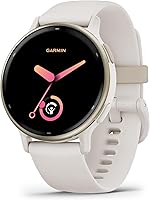
Do Garmin Watches Have a Monthly Fee?
A Garmin watch doesn't require a monthly fee for core watch features or standard Garmin Connect features. Optional subscriptions, music services, and paid apps can cost extra.
On this page (8 sections)
- Does a Garmin watch have a monthly fee?
- What can you use without a subscription?
- Which Garmin features might cost extra?
- Is Garmin Connect+ required?
- Does GPS or phone connectivity add a monthly charge?
- How should you set up and care for a Garmin watch?
- Which costs and mistakes should you check before buying?
- Does a Garmin watch have a monthly fee for your routine?
A Garmin watch doesn't require a monthly fee for core watch features or standard Garmin Connect features. Built-in activity tracking and GPS don't depend on a recurring Garmin membership.
Optional subscriptions, music services, and paid apps can add separate costs. The useful buying question is which features you'll use each week and whether any of those depend on another service.
Choose the watch around your routine first. A runner seeking workout guidance, someone tracking sleep and daily movement, and an outdoor user have different needs even when all want to avoid subscriptions.
Does a Garmin watch have a monthly fee?
There's no required monthly watch subscription for basic use. Garmin Connect is the companion app for reviewing synced activity and sleep information, connecting with friends, and managing supported watch features.
Keep 3 types of cost separate: the watch itself, optional services you choose, and your phone's existing service. Pairing a watch doesn't turn every feature into a paid service.
Built-in GPS also differs from phone connectivity. Recording an outdoor workout is a different task from receiving notifications or sending your location through a phone.
For a broader explanation of those differences, read whether smartwatches need a phone.
Can you use a Garmin watch without monthly fees?
Yes, you can keep your routine subscription-free by using built-in tools and standard Garmin Connect features. Start there before adding paid apps or plans.
Write down your essentials, such as recording walks, following runs, or reviewing sleep. If your chosen model already covers them, an optional subscription doesn't need to be part of your budget.
What can you use without a subscription?
Built-in activity tools and standard syncing provide a useful starting point without a monthly membership. The exact tools vary by model, so choose for the information you need rather than the longest feature list.
Choose vivoactive 5 for daily activity and varied exercise
The Garmin vivoactive 5 42mm suits someone who mixes walking, gym sessions, cycling, and other activities. Its more than 30 built-in sports apps give it a broad everyday focus.
Sleep coaching, nap detection, and Body Battery energy estimates make it useful if you want to connect your activity routine with rest. Wheelchair mode tracks pushes and includes activities and workouts for wheelchair users.
Choose it when you want one watch for movement and sleep tracking. Skip it in favor of the Forerunner below if daily running suggestions and race-focused guidance lead your wish list.
Use the activity and sleep summaries to review your routine across several days. Choose the views you find useful instead of trying to follow every number.
Choose Forerunner 165 for a running plan
The Garmin Forerunner 165 suits runners who want help deciding what workout comes next. It combines built-in GPS for pace and distance with daily suggested workouts that adapt to performance and recovery.
Garmin Coach and race adaptive training plans support event goals. Training effect explains a workout's main benefit, while recovery time helps you plan the gap before another hard effort.
Its AMOLED touchscreen and traditional buttons give you two ways to control the watch. Choose it if running structure matters more than collecting general activity features.
Skip it if you mainly want step counts and occasional walks, since its running guidance may go unused. Our best Garmin watches for running can help you compare choices around your training goals.
Which Garmin features might cost extra?
Optional services can have separate charges, even when the watch doesn't require a membership. Check the service you want rather than assuming every app or download is included.
The vivoactive 5 supports music downloads from Spotify, Amazon Music, or Deezer accounts and listening through wireless headphones. Your chosen service may require a paid plan for watch downloads.
Confirm that your account supports the exact listening setup you want before subscribing. Don't assume another model has music storage simply because it shares the Garmin name.
Connect IQ apps and watch faces can also have their own terms. Read any payment or renewal details before installing an extra you expect to use regularly.
Choose Instinct 3 Solar for outdoor use
The Garmin Instinct 3 Solar 45mm suits someone who values outdoor tools and a reinforced build. It has a metal-reinforced bezel, an LED flashlight, a compass, a barometric altimeter, and multi-band GPS with SatIQ.
Its monochrome, sunlight-visible display serves a different preference from the colorful AMOLED screens above. Skip it if you mainly want a bright display for indoor daily use and have little need for its outdoor tools.
Garmin's unlimited smartwatch battery claim with solar assumes all-day wear plus 3 hours outside each day in 50,000-lux conditions. Solar isn't a promise of never charging, especially if you spend most days indoors.
Buy this model for outdoor use that fits your routine. Don't choose it solely to avoid a subscription, since the other watches also support core use without one.
Is Garmin Connect+ required?
Garmin Connect+ is optional for basic watch use and standard Garmin Connect features. You can begin with the standard app and decide later whether paid extras serve a clear purpose.
Check Garmin's current service information for availability and terms in your country. Before accepting a trial, read what happens when it ends and how renewal works.
A useful rule is to name the benefit before paying. If you can't explain which extra feature you'll use and when, keep using the standard tools.
Does GPS or phone connectivity add a monthly charge?
Built-in GPS doesn't need a monthly GPS plan, but connected features may rely on your smartphone. That distinction matters most when you want to leave your phone at home.
Smart notifications come from a paired Android phone or iPhone. They don't mean the watch has its own independent phone connection.
On the Forerunner 165 and Instinct 3 Solar, Assistance and incident detection use a paired smartphone with network coverage and data connectivity. They require setup, and incident detection applies only during select activities.
Set up emergency contacts before relying on those tools. They don't replace emergency services or guarantee that help will arrive.
If you use an Apple phone, read whether Garmin works with an iPhone. For a broader model comparison, see our best Garmin watches.
How should you set up and care for a Garmin watch?
Pair the watch, confirm your settings, and start with the features you need. Adding every notification and app on day one makes it harder to learn which tools help.
- Set up the companion app. Pair your compatible phone and confirm that an activity syncs before depending on the connection.
- Review permissions. Enable what your chosen connected features need, and choose which phone alerts belong on your wrist.
- Choose your main activities. Start with the sports you do regularly so recording a session takes fewer steps.
- Prepare connected safety tools. Add emergency contacts and check the setup instructions if your model supports them.
- Review optional services. Confirm account terms before enabling music downloads or paid extras.
For comfortable daily wear, adjust the band so it stays secure without feeling too tight. Clean and dry the watch and band according to Garmin's care instructions, especially after sweaty workouts.
Keep charging contacts clean and dry before connecting the cable. Charge around your schedule so sleep tracking or a planned workout doesn't get interrupted.
The vivoactive 5 and Forerunner 165 offer up to 11 days in smartwatch mode. The vivoactive's always-on display reduces its stated figure to 5 days, while the Forerunner's GPS-mode figure is up to 19 hours.
Those figures describe different uses, so don't compare them as interchangeable promises. Our guide to how long smartwatch batteries last explains how settings and activity affect charging needs.
Which costs and mistakes should you check before buying?
Check service requirements and model fit before adding optional plans. A watch that suits your routine is a better buy than one chosen around extras you won't use.
- Confusing GPS with cellular service: Built-in GPS records activity; it doesn't establish independent phone service.
- Assuming music is included: Check both the watch's support and your streaming account's download terms.
- Paying before trying standard features: Learn the built-in tools before choosing an optional subscription.
- Overlooking payment support: Garmin Pay requires compatible support, which varies by model, bank, country, and payment network.
- Buying for numbers you won't use: Choose activity summaries, sleep tracking, and workout tools that fit your routine.
- Buying around ideal battery claims: Match the stated mode and solar conditions to your actual day.
The Garmin watches category guide can help you compare features. If another brand may suit your routine better, explore our everyday smartwatch picks.
Does a Garmin watch have a monthly fee for your routine?
Choose the watch first, then decide whether any optional service earns its place. For a routine built around activity tracking, GPS workouts, and standard syncing, you can skip a monthly Garmin subscription.
Pick the vivoactive 5 for varied exercise and sleep tracking. Choose the Forerunner 165 for running guidance, or the Instinct 3 Solar for outdoor tools and a reinforced build.
Budget separately for any music plan or paid app you deliberately add. If your needs extend beyond these Garmin choices, use our everyday smartwatch guide to compare brands around the features you'll use most.
Frequently asked questions
Do you need a subscription to use Garmin Connect?
No subscription is required for standard Garmin Connect features, including reviewing synced activity and sleep information from a compatible watch. Optional paid features and separate third-party services can have their own charges.
Start with the standard app, then consider extras only if they solve a specific need.
Does Garmin charge a monthly fee for GPS?
Built-in GPS doesn't require a monthly GPS subscription. It records outdoor activity information without buying a separate GPS plan.
Connected safety features are different: Assistance and incident detection on the Forerunner 165 and Instinct 3 require setup, a paired smartphone, and network coverage with data connectivity.
Can you use a Garmin watch without a phone?
You can use built-in activity tools without keeping your phone beside you, but syncing and connected features depend on the model and task. Notifications need a paired phone.
Before leaving it behind, check whether the specific feature you need works independently, especially location sharing and other safety tools.
Is Garmin Connect+ required?
Garmin Connect+ is optional, rather than a requirement for basic watch use or standard Garmin Connect features. Check Garmin's current terms and availability in your country before subscribing.
Use the standard features first so you can decide whether any paid extras would change how you use the watch.